
Receipts on the load
Fuel slips, tolls, a wash: what the driver turns in, what gets paid back, and what is only the record.
The trip envelope has a box for cash receipts: tolls, scales, a wash, reefer fuel the driver paid for. In LoadTally that box is on the load. The driver snaps the slip and turns it in; you answer it on the load; what you approve comes back to them as a line on their next pay statement. Fuel on the carrier’s card goes in the same box for a different reason — it is the record that lines up with the settlement.
Two kinds of receipt
| Paid with | What it is | What happens |
|---|---|---|
| The driver’s own money — cash or their card | Diesel, DEF or reefer at the pump, a toll, scales, a wash, a motel, supplies | You approve it on the load. It lands on their next pay statement as Paid back · Fuel · Pilot or Paid back · Truck wash · Blue Beacon. It is a reimbursement, not pay — never on their 1099 — and on your profit and loss it is your expense under its own pile. Fuel also counts in the Fuel report, gallons and all. |
| The carrier’s fuel card | Diesel and DEF at the island | Never paid back — the carrier takes it off your settlement. The slip is the record that pairs with that line, so you can see the carrier took off what the pump said. |
Turning one in
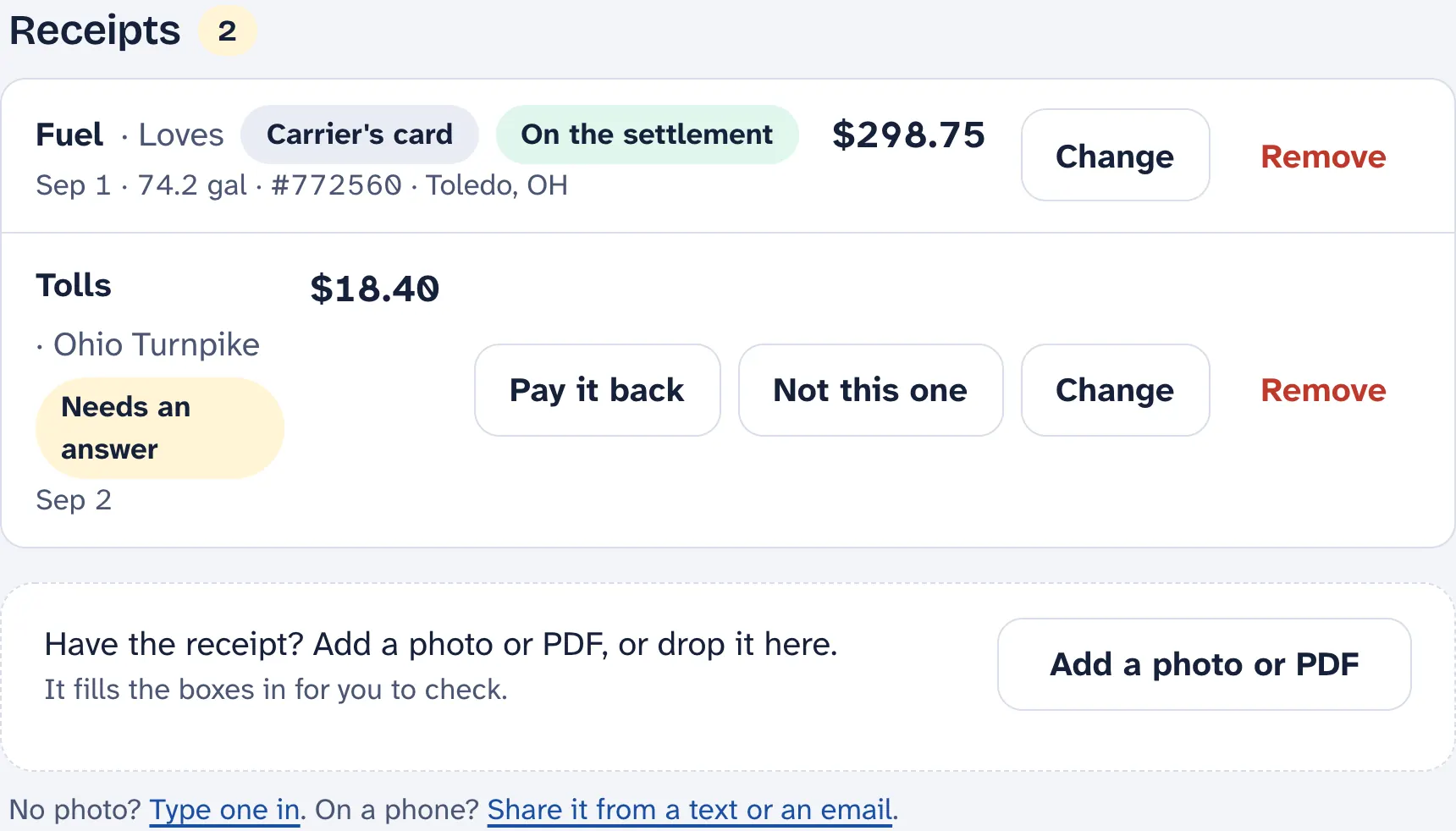
On the load, Add a photo or PDF in the receipts box and the lines fill in: the kind, the amount, the gallons, the vendor, the day, and the transaction number printed on a card slip. A fuel-island slip comes in split — diesel, DEF, reefer — because the settlement takes them off separately. Two slips in one photo is fine; each gets its own line. No photo? Type one in.
A driver does this from their phone on their own load. What they turn in waits for you. You can add one yourself, off the envelope, and it starts approved.
Answering one
- Pay it back — approved. It goes on the driver’s next pay statement, figured with the load, so their list, the statement and the reports all agree.
- Not this one — declined, with a note if you want. The driver sees the answer.
- Change — the reader misread a faded slip. Fix the line until it has been paid.
- Remove — it asks first.
Fuel against the settlement
Once the settlement for the load is in, each card slip says whether the carrier took it off: they pair on the transaction number the carrier prints in the memo, or failing that on the amount. Not on the settlement means the line hasn’t come through yet. Slip says a different amount is either the pump discount the carrier passed on, or a wrong line. Taken off twice is the same purchase on two settlements — worth a call. The Fuel report lists every line that needs a look across the month, and works out miles per gallon for each truck and driver from the gallons on the slips.
Don’t enter card fuel under Expenses. It is already in the books: the carrier took it off the settlement, and the settlement is recorded. Entering it again counts it twice. Only fuel you paid for at the pump yourself goes in Expenses.
Some carriers pay the trailer’s reefer fuel themselves. Tick Ignore reefer fuel under Setup › Trucks › Fuel and the reefer line is left off every slip — from the cab, the office and the inbox alike.
The driver’s own taxes are somewhere else
Boots, a phone mount, meals — the things a driver writes off on their own taxes — are not receipts on the load. They go under My taxes on the driver’s phone, which the office never sees. See LoadTally on the driver’s phone.