
Recording a settlement sheet
One check, several loads: snap the sheet, add each load, and see whether it adds up to what was paid.
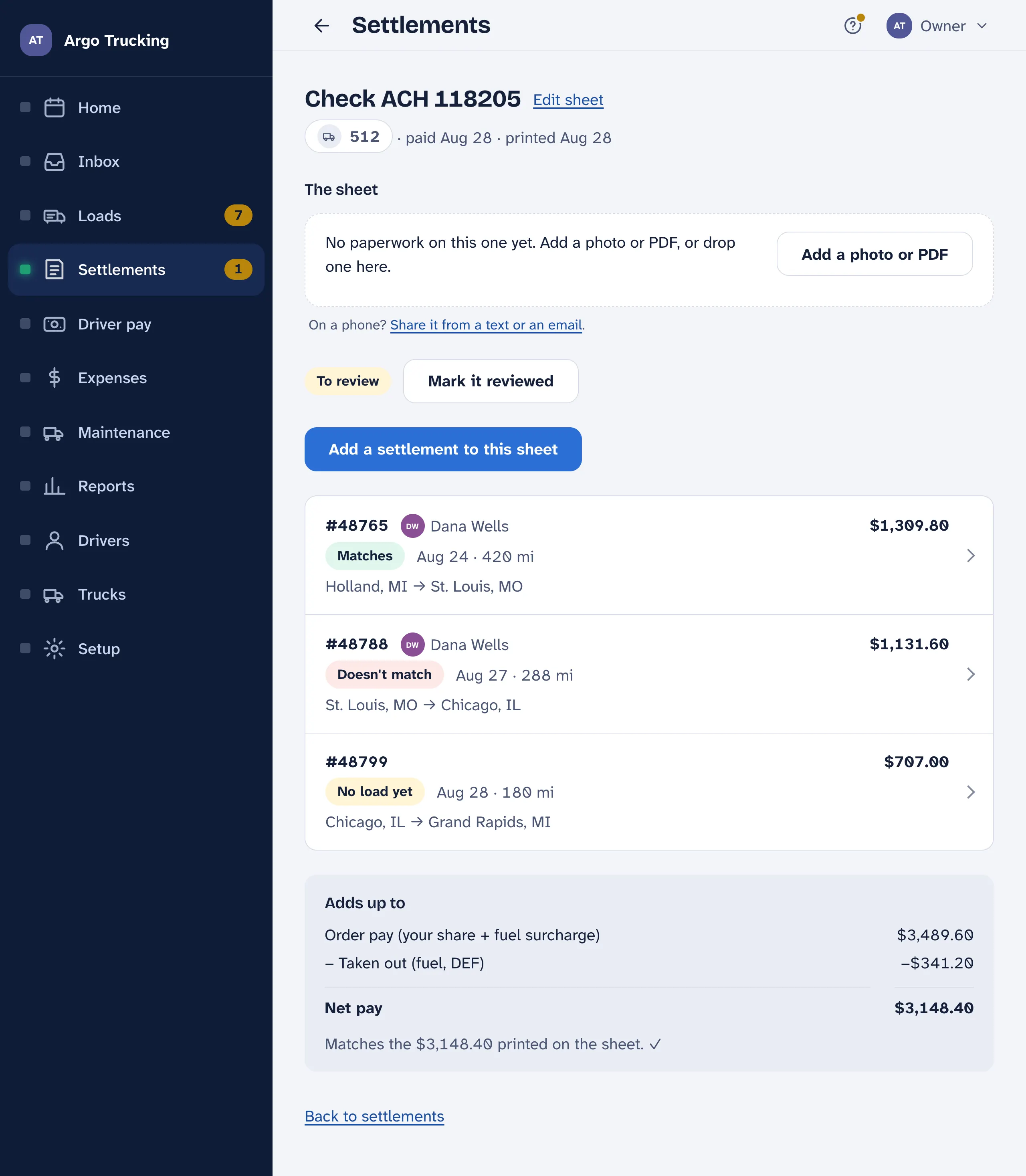
A settlement sheet is one check from the carrier, and one check usually pays several loads. Each load on it is a settlement, and the settlement number is the load number — that is how each one finds its load. Record the sheet, and every line on it is checked against a load you already have.
Recording one
- Add a settlement sheet. On Settlements. Snap the summary page or drop in the carrier’s PDF, and the check number, the date and the net pay fill in. It reads every load off the sheet too, ready for the next step.
- The top of the sheet. The check number and date, which truck’s account it paid, and the net pay printed at the bottom. Type the net pay exactly as printed — it is how the app checks that the loads add up.
- Each load on it. Loads read off the photo wait on the sheet page under Read off the photo; each opens filled in. Check it against the paper, save, and it leaves that list. Or Add a settlement to this sheet and type one.
- Does it add up. Your share of each order plus the fuel surcharge, minus fuel and DEF on the card, is the net pay. When the loads don’t come to the figure printed on the sheet, a load is missing or a number was mistyped. Off by exactly one load’s total? That is the one you haven’t entered.
Forward the carrier’s settlement email to your paperwork address and all four steps happen on their own: the sheet is recorded with its loads before you open the app.
The numbers on one settlement
The settlement number, the calculated miles, then the money: the gross for the order, your share of it as a percent, the fuel surcharge the carrier adds on top, and what they took out — fuel and DEF on the card, with the transaction number they print in the memo. The math shows underneath as you type: gross × your percent, plus the surcharge, minus what was taken out, is the order total to you.
How it matched
| The word | Means | What to do |
|---|---|---|
| Matches | A load has this number, and its miles and dates agree. | Nothing. |
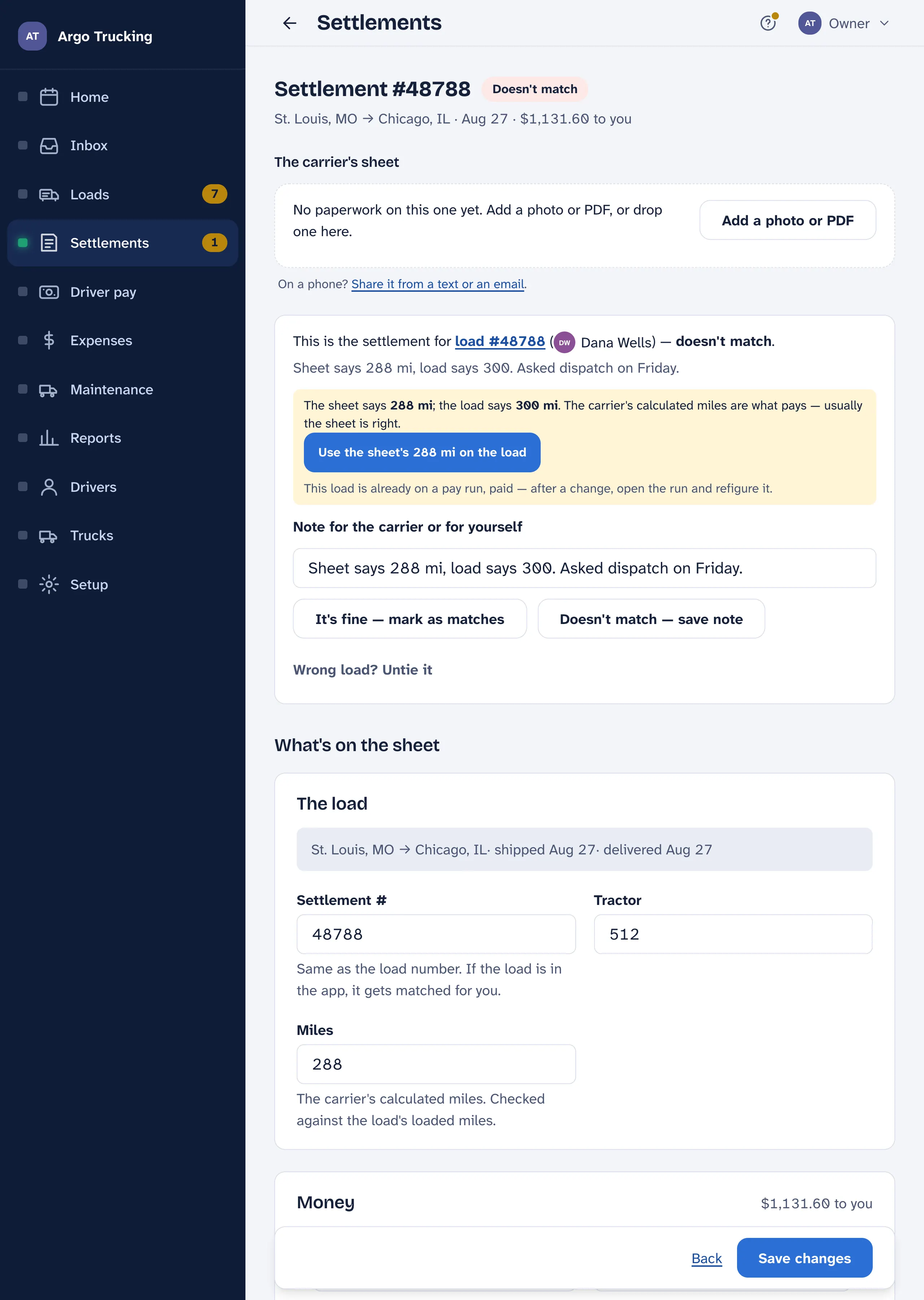
| Doesn’t match | A load has this number but something is off — usually the miles, more than a mile apart. | If the difference is fine, It’s fine — mark as matches. If it isn’t, save a note about what’s off; it stays on the Needs a look list until it is sorted, and the note is a good place for what dispatch said on the phone. |
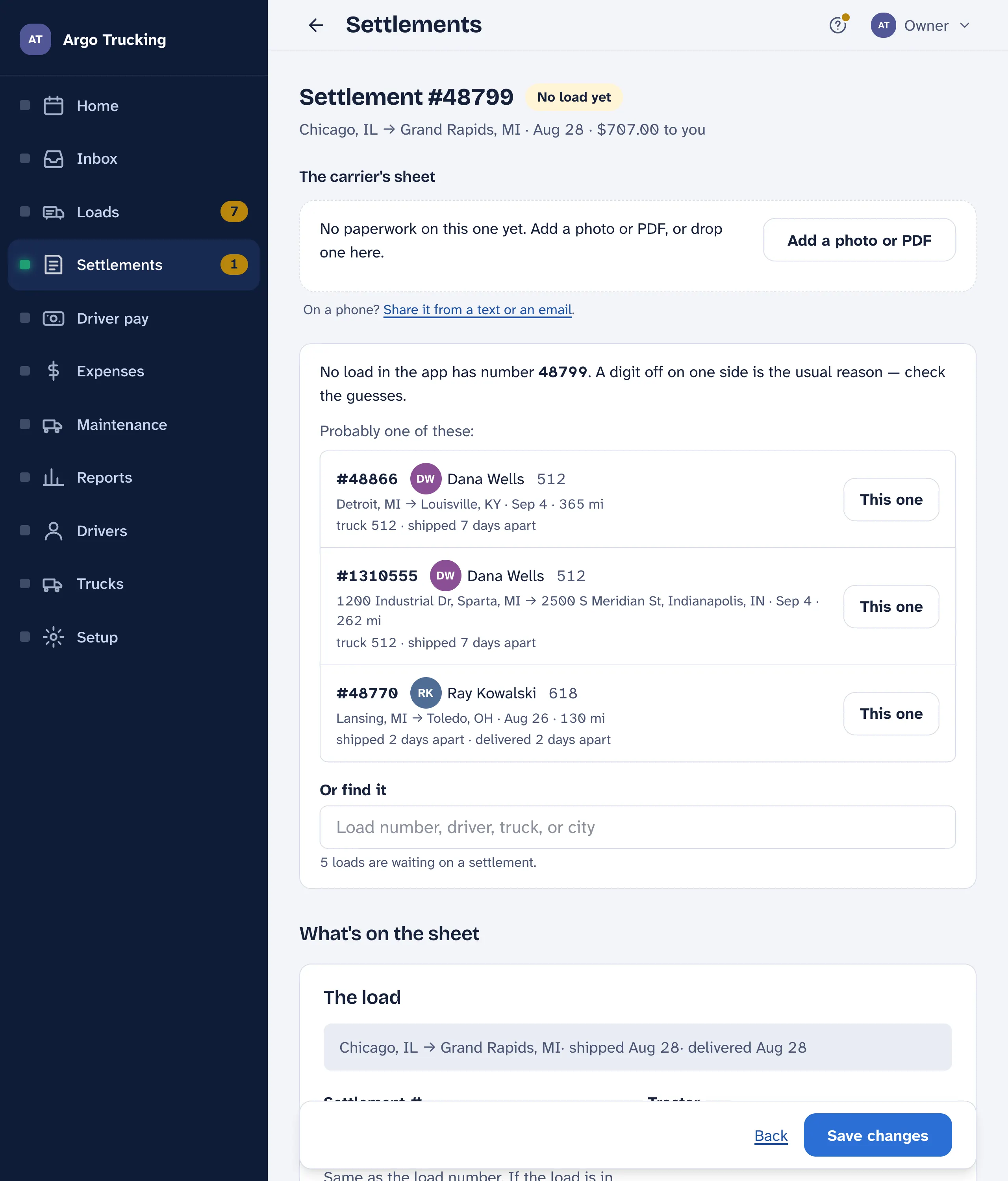
| No load yet | No load in the app has this number. | Pick the load it belongs to — the best guesses come first with the reason: same route, same day, same truck — or add the load. Untie it lets go if the number found the wrong one. |
The Settlements screen
- Needs a look at the top: settlements that didn’t line up with a load. Open one to tie it to its load, or to say it’s fine.
- One check, its loads. Each block is one check — its number, the day it landed, the truck it paid — and the loads on it with how each matched. A pill says whether the sheet is still To review or Reviewed. Tap the heading for the whole sheet; tap a load for its numbers.
- Not on a sheet. Settlements entered on their own, without a check. They still match to loads.
- Find. A load number, a check number, or a truck. Handy when a driver asks “did that one come in yet?”
Fuel against the slips
Each fuel or DEF line the carrier took off is shown beside the slip the driver turned in for it, paired on the transaction number in the memo. No slip turned in means ask the driver. Slip says a different amount is the pump discount the carrier passed on, or a wrong line. Taken off twice is the same purchase on two settlements — worth a call. See Receipts on the load.
The settlement never changes driver pay. The driver is paid on the load — its miles, its stops — as soon as it is done. The settlement checks that the carrier’s figures agree with yours, and it is the norm that a load goes on a pay statement once its settlement is in. Paying before it arrives is allowed; the app flags it and never blocks it.