
Maintenance
Log a service, know when the next one is due, and let the bill land in Expenses on its own.
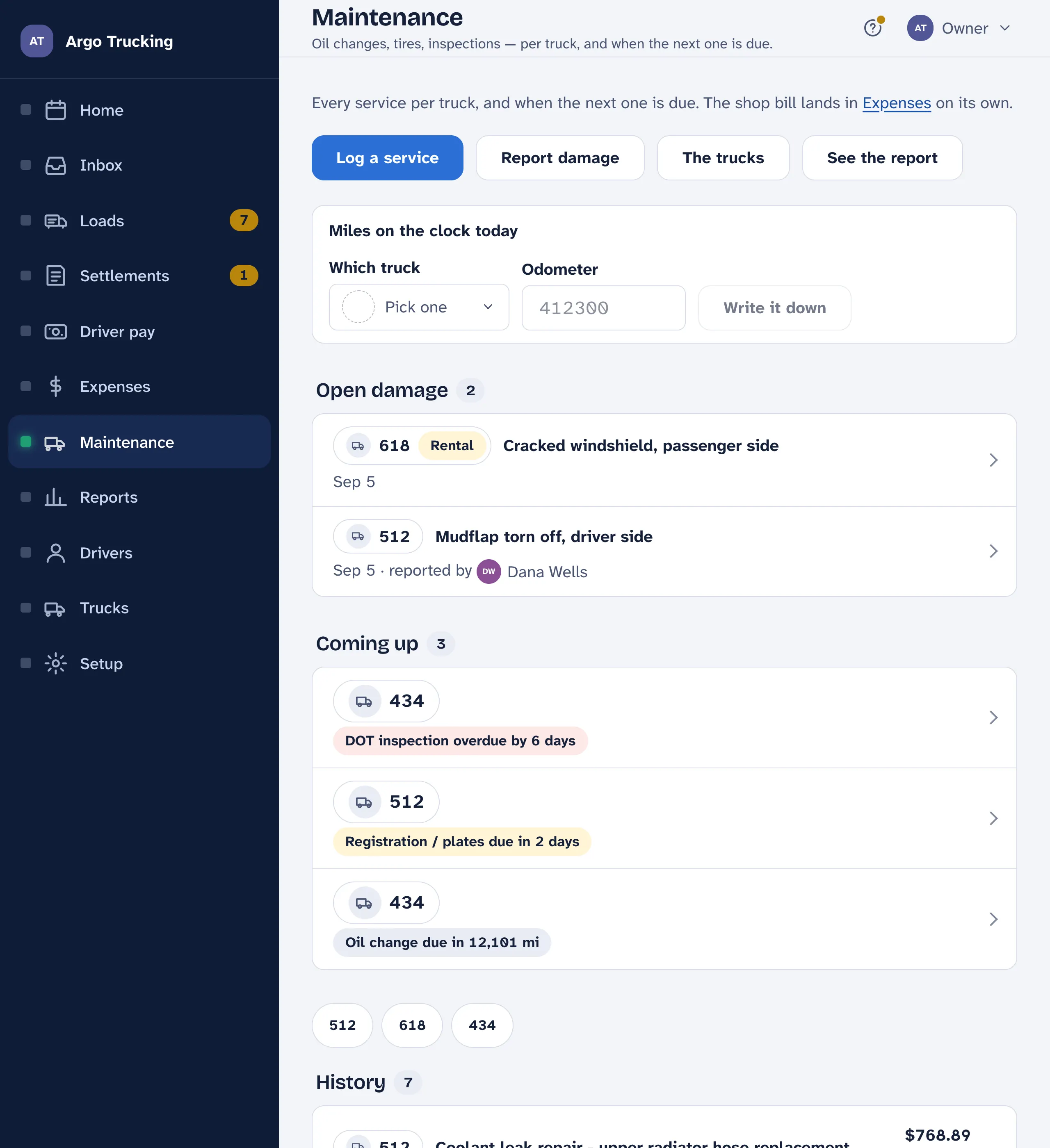
Every oil change, set of tires, brake job and DOT inspection goes in the log, per truck. Log it once with the miles on the clock and when the next one is due, and the app tells you — on the week screen, on the truck, and as a notification — when that day or that mileage is close.
Logging a service
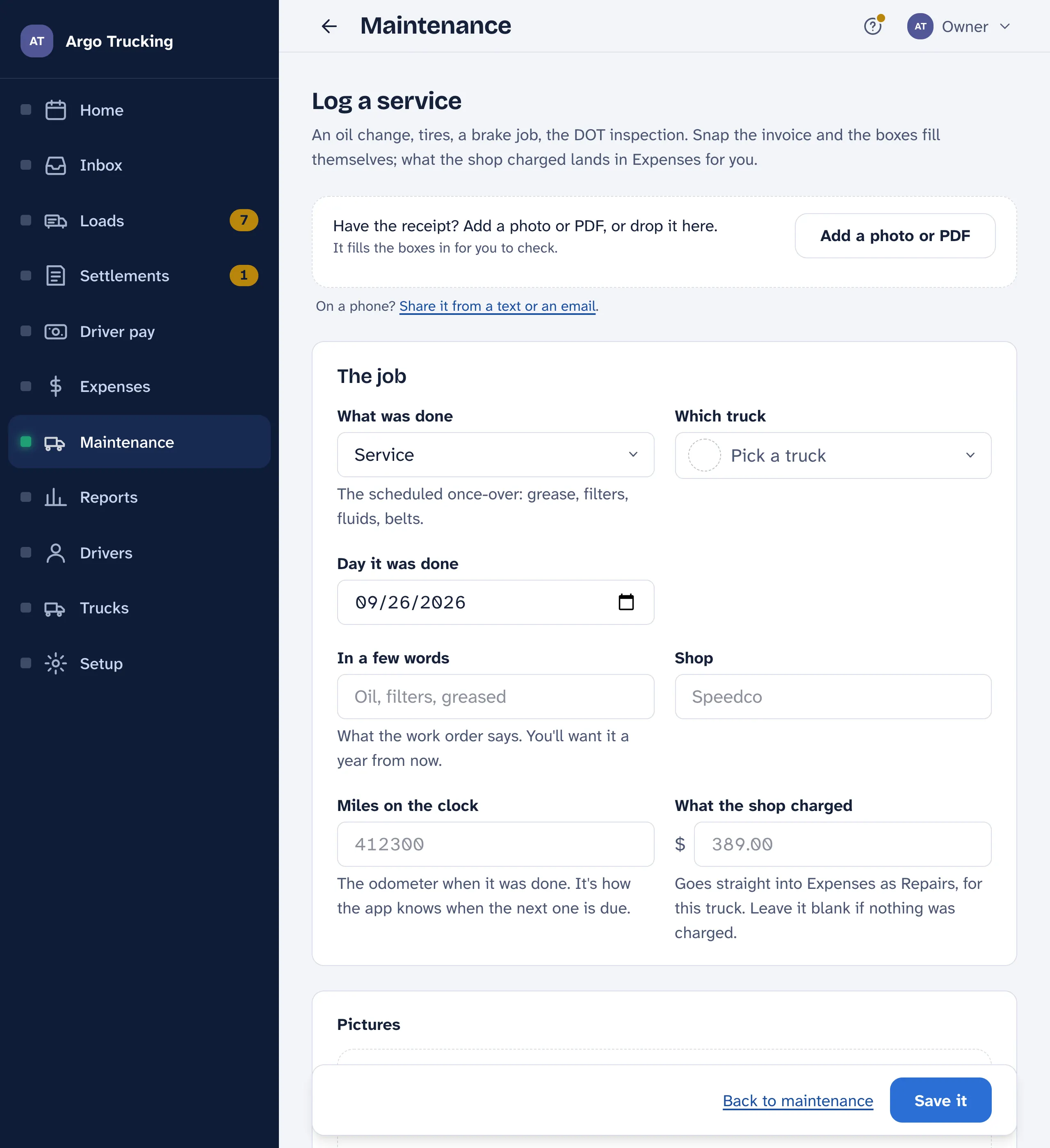
- Snap the invoice and the shop, the day and the amount read into the boxes. Check them before you save.
- Which truck, the day, what was done. Oil change, service, tires, brakes, inspection, repair, or other.
- Miles on the clock. The odometer when it was done. It is how the app knows when the next one is due, and it is how it reads the current mileage — the last reading you wrote down plus the loads since.
- What the shop charged. Goes straight into Expenses for that truck, under Repairs or Tires, and stays in step. Leave it blank if nothing was charged.
- Next time. A date, a mileage, or both. Use the usual fills it from what most shops say — 15,000 miles for an oil change, a year for the inspection. Leave both blank if there isn’t one.
Damage, and the repair that closes it
Report damage — on the Maintenance screen, or from a driver’s phone — takes what happened and where, the day, and pictures: close up and from a few feet back. It stays open on the home page, on the trucks list and at the top of Maintenance until a repair closes it. When you log that repair, the form lists the truck’s open damage under This repair fixes; tick it and the damage is marked fixed with a link to the repair. Nothing logged? Mark as fixed on the damage itself. A driver’s report reaches the office as a notification the moment it is saved.
Warranty, papers and renewals
A repair, a set of tires or a brake job can say it is under warranty — till a day, a mileage, or both, and by whom. The truck’s own papers live on the truck: the engine or transmission warranty, an extended plan, and the renewals — registration, DOT inspection sticker, IFTA decal, insurance card, the 2290 heavy-vehicle tax — each with its date and a picture of the paper. When you log a repair on that truck, anything still in force that day at that mileage is listed as May be under warranty — check before paying. Renewals join Coming up a month ahead and send the same notification a service does.
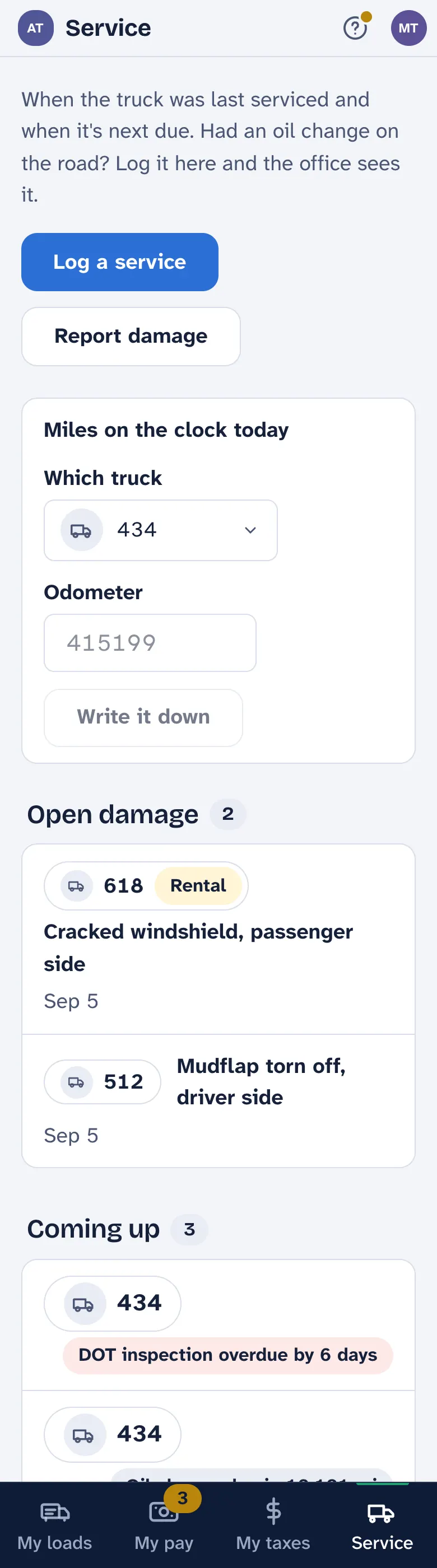
Two more things a record can carry: the truck's downtime (a repair or damage), and a bare odometer reading — Miles on the clock today at the top of Maintenance and of the driver’s Service screen — so due-by-miles counts from the clock, not an estimate. The truck page adds the year up: what it cost in repairs and tires, the miles it ran, cents a mile, and downtime.
What is due
Worked out from the log, not typed anywhere: for each truck and each kind of work, the latest record decides, and a newer oil change retires the older one’s next-due. Coming up lists what is due next on each truck; overdue floats to the top and turns red. The week screen shows the nearest one as a yellow line, the truck list shows it as a pill, and Notifications can send it to your phone when a truck is within 30 days or 1,500 miles — and again if it goes past.
From the road
A driver can log a service from their phone — an oil change on the road, a tire at the truck stop — with a photo of the invoice, and the office sees it. The cost is the office’s to fill in; a driver never sees company money.
The report
Maintenance under Reports adds the log up: what each truck cost to keep on the road and when it was last in, the same by kind of work, and every service on its own line. Run it over the year before a truck goes up for sale, or when the accountant asks what the fleet cost.
Don’t use the log? Setup › Company › What you use switches Maintenance off and takes it out of the menu. Nothing logged is lost.