
Expenses
What counts, what is already counted, snapping a receipt, and the month at a glance.
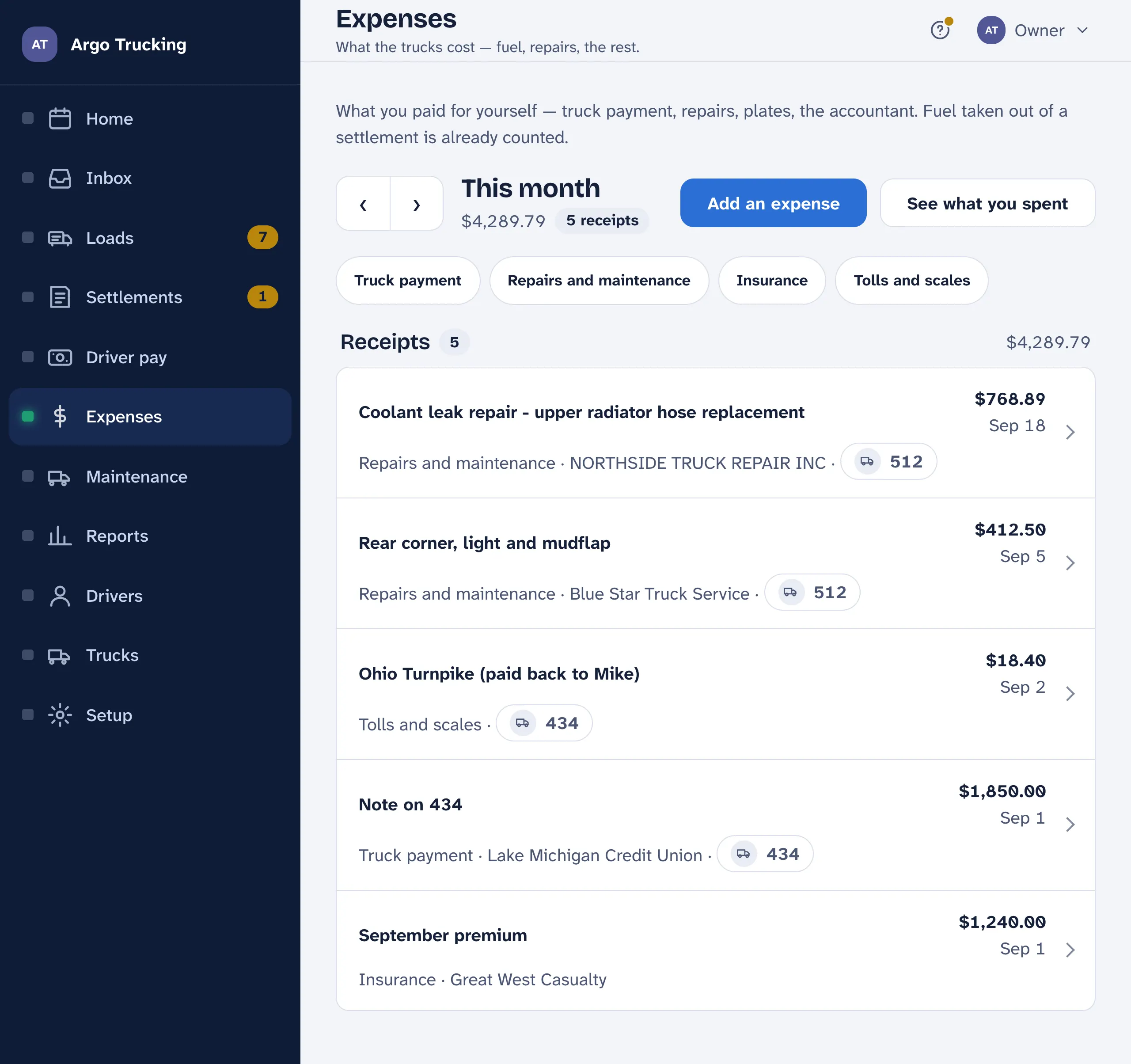
Expenses are the bills you paid from your own account that the carrier never sees: the truck payment, insurance, plates, tires, tolls, the accountant. Enter each one once, with a photo of the receipt if you have it, and the profit and loss, the cost per mile and the year-end pages are built from them.
What counts
Anything paid out of your own account that the business should show. The kinds are the words on the receipt: truck payment, truck rental, repairs, tires, fuel, DEF, insurance, plates, tolls, parking, supplies, phone, office, professional, interest, other. The profit and loss groups them into running costs, the trucks, and standing costs.
What is already counted. Fuel and DEF on the carrier’s card come off the settlement, and the settlement is recorded — so never enter them here, or they count twice. The same for a truck the carrier rents you. Under Expenses, fuel means fuel you paid for at the pump yourself.
Adding one
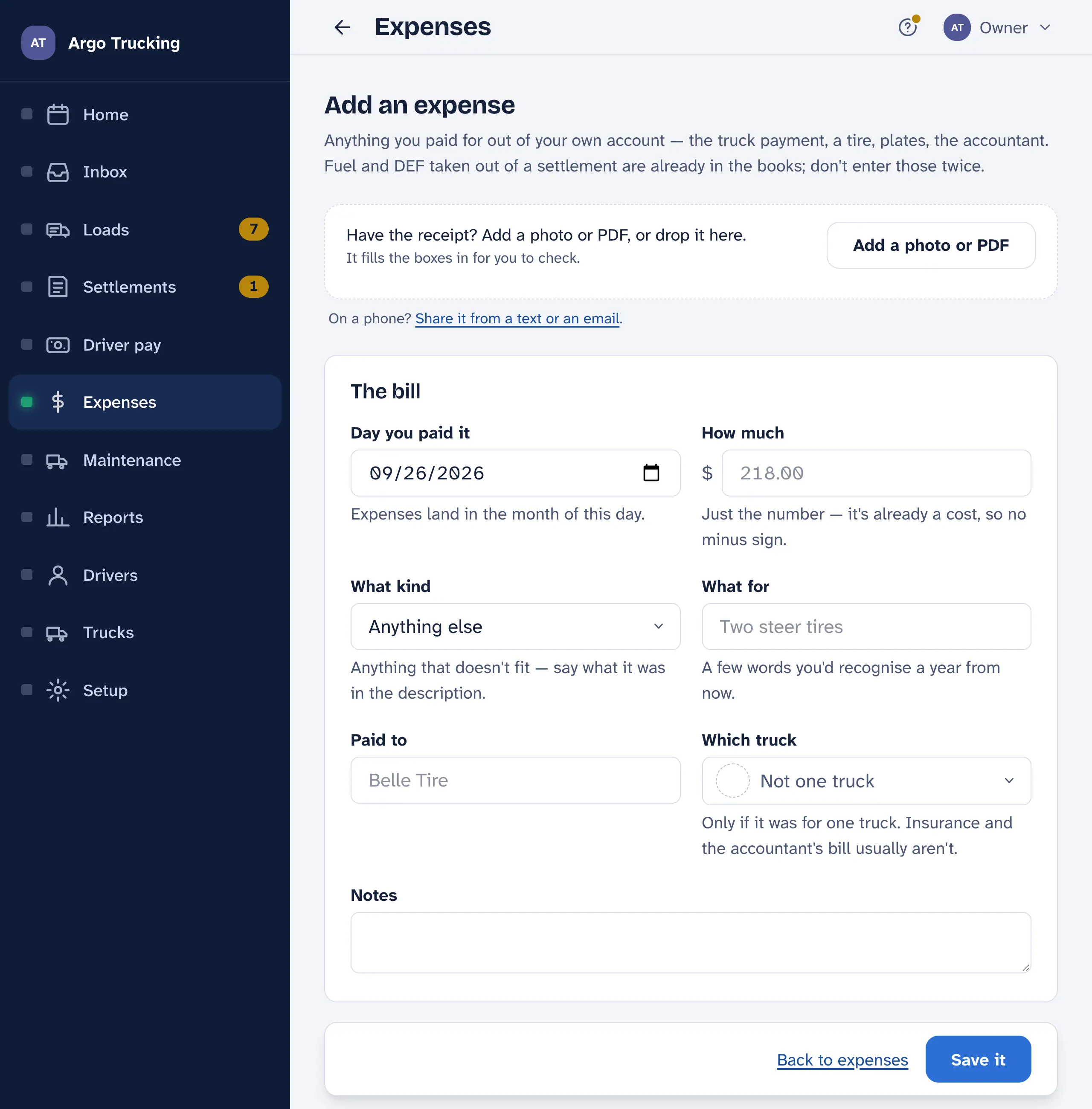
- Snap the receipt or drop in the file, and the amount, the day and who was paid fill in. Check them; it can misread a smudged total.
- The day you paid it. It lands in that month.
- Which truck — only if it was for one truck. The accountant’s bill usually isn’t, and stays on its own line in the per-truck reports rather than being spread around by a guess.
- What for — a few words you would recognise a year from now.
The month
The arrows step back a month at a time and forward again; Back to this month brings you home. The chips narrow the month to one kind — only the kinds you actually used that month show up. See what you spent opens the report: by kind, by truck, and every receipt on its own line.
Where the shop bill comes from
When you log a service under Maintenance and type what the shop charged, the bill is written into Expenses for that truck and day on its own, under Repairs or Tires. Change it over there and this copy follows. You never type the bill twice.
A receipt from the road that a driver paid for goes on the load, not here, so it can be paid back — see Receipts on the load. If a receipt in the Inbox names no load, Add as an expense brings it here.
Switching it off
If your accountant keeps all of this elsewhere, Setup › Company › What you use switches Expenses off and takes it out of the menu. Nothing entered is deleted, and it comes back when you switch it on.