
Trucks
Numbers, carrier accounts, rentals, and what happens when one is sold.
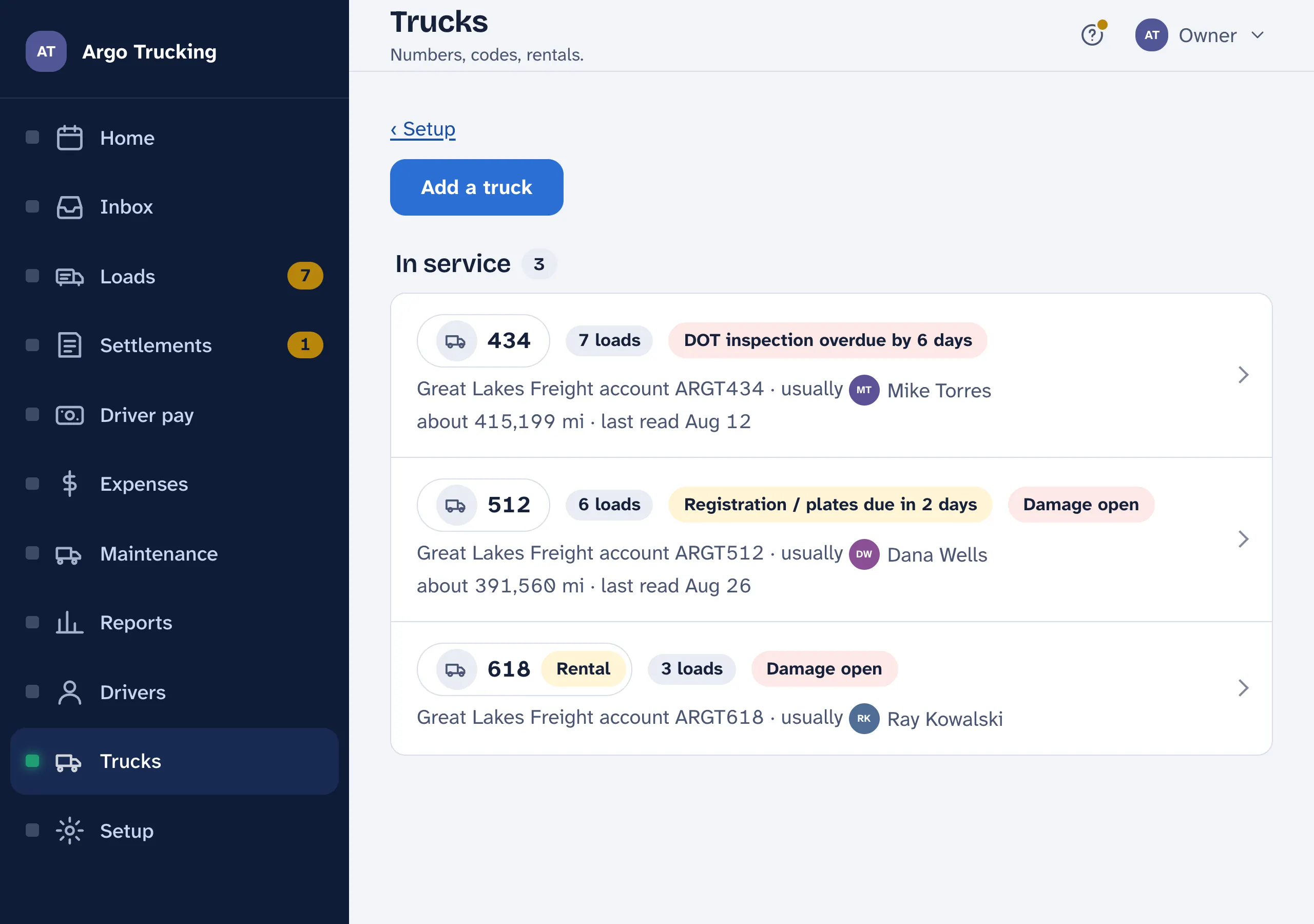
Every truck you own gets a line: the number painted on it, and the account the carrier settles it under. That account is how each settlement sheet lands on the right truck, and it is what the per-truck reports are split by.
Adding one
- Number. What is painted on the truck and printed on the settlement.
- Carrier account. The one the carrier settles it under — one account per truck, like ARGT434. With more than one carrier, one per carrier.
- This is a rental. Tick it and loads on this truck pay the driver’s rental mile rate, where one is set. The rental itself is your expense, never a deduction from anyone.
The truck’s page
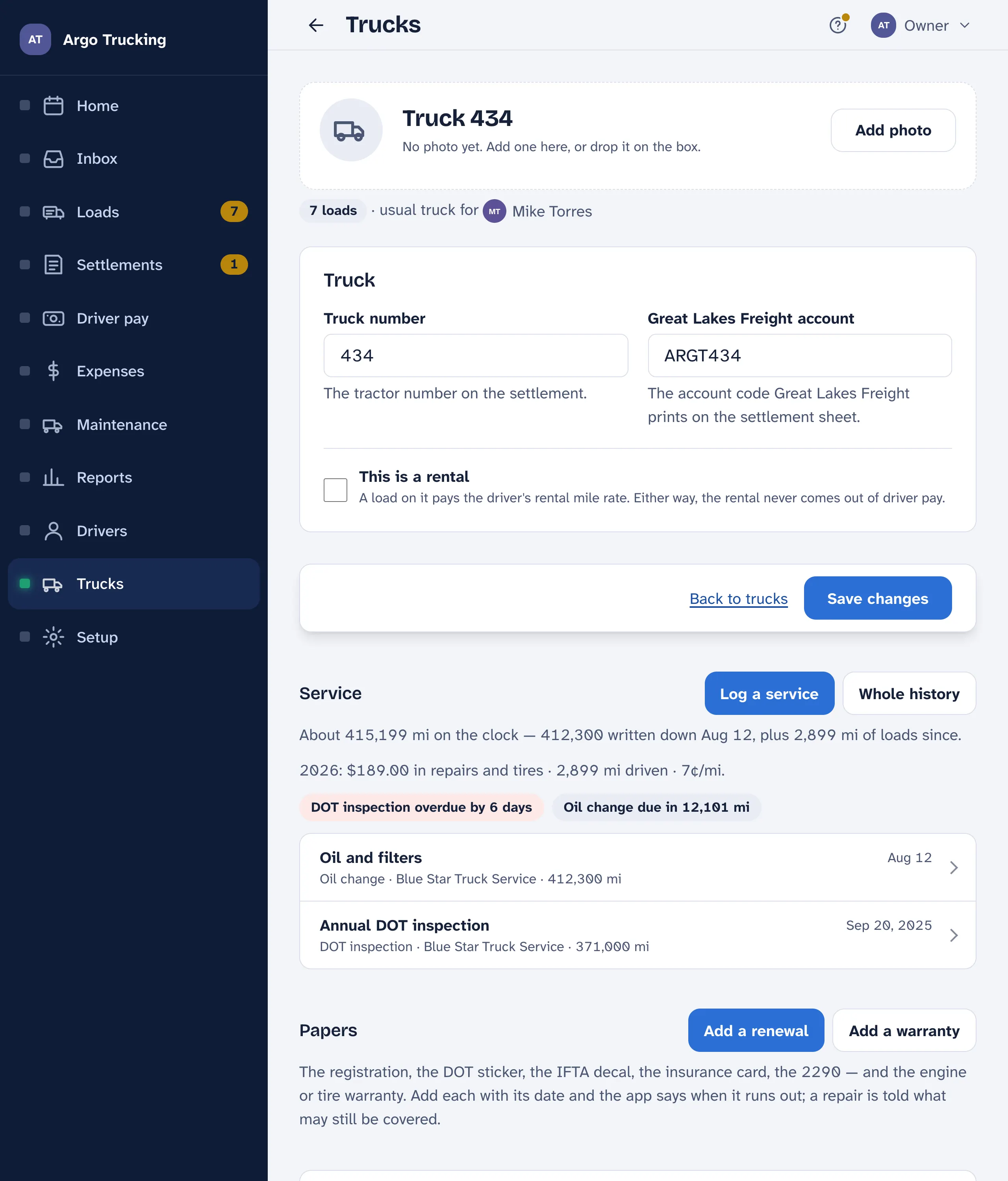
- The picture. Tap the circle to add a photo. Underneath: how many loads it has run and who usually drives it.
- Service. Oil changes, tires, the DOT inspection — each logged once, and the app says when the next is due. The miles on the clock are the last reading you wrote down plus the loads since. See Maintenance.
- Retire it. Sold it, or sent the rental back? Its loads stay, it leaves the pickers. Put it back in service undoes it.
- Remove for good shows only while no load has used the truck. Once one has, retire it instead — the history stays with the truck.
A truck the carrier rents you
A part-timer sometimes drives a rental with a number that isn’t on your list. Tick Renting from the carrier under Setup › Trucks, and a truck number typed on a load that isn’t on your list counts as a rental — paid at the driver’s rental mile rate. The rental charge comes off your settlement as a carrier deduction; don’t type it into Expenses as well, or it counts twice.
Trucks aren’t on the bill. LoadTally charges per driver you pay, not per truck. Add every tractor you own; it costs nothing more.