
Your account, billing and notifications
A passkey instead of a password, notifications that reach the phone, what the bill counts, and leaving.
Your account is under your name in the top corner. It is the login itself — your photo, how you sign in, what reaches your phone — and, for an owner, the bill.
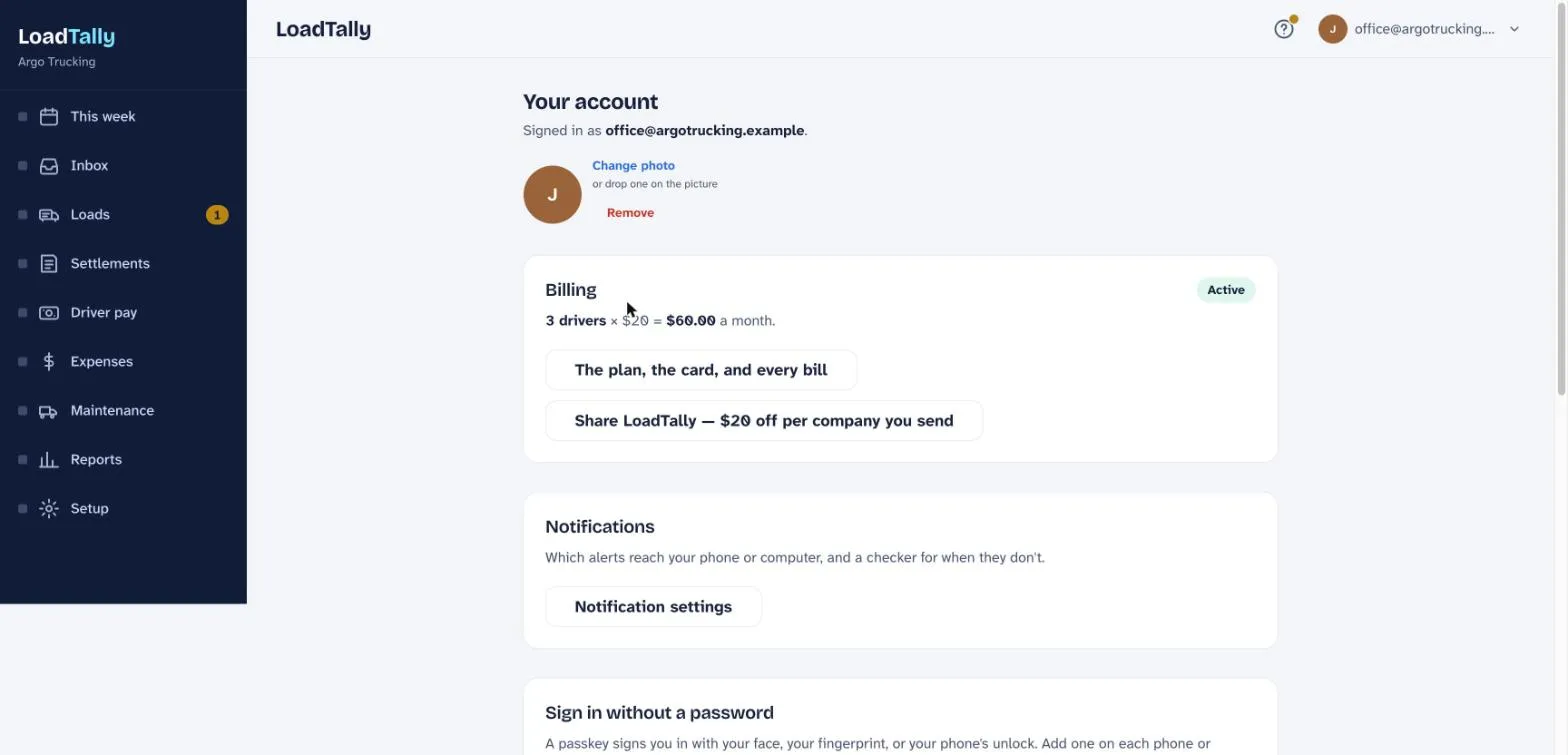
Your face
Tap the circle for a photo. It shows next to your name in the corner, and on anything you enter for a driver.
Sign in with your face
A passkey signs you in with your face, your fingerprint, or your phone’s unlock instead of a password. Add a passkey on each phone or computer you use; the sign-in screen then has a Sign in with a passkey button. Your password still works too. To change it, type a new one twice and save — you stay signed in on this device.
Notifications
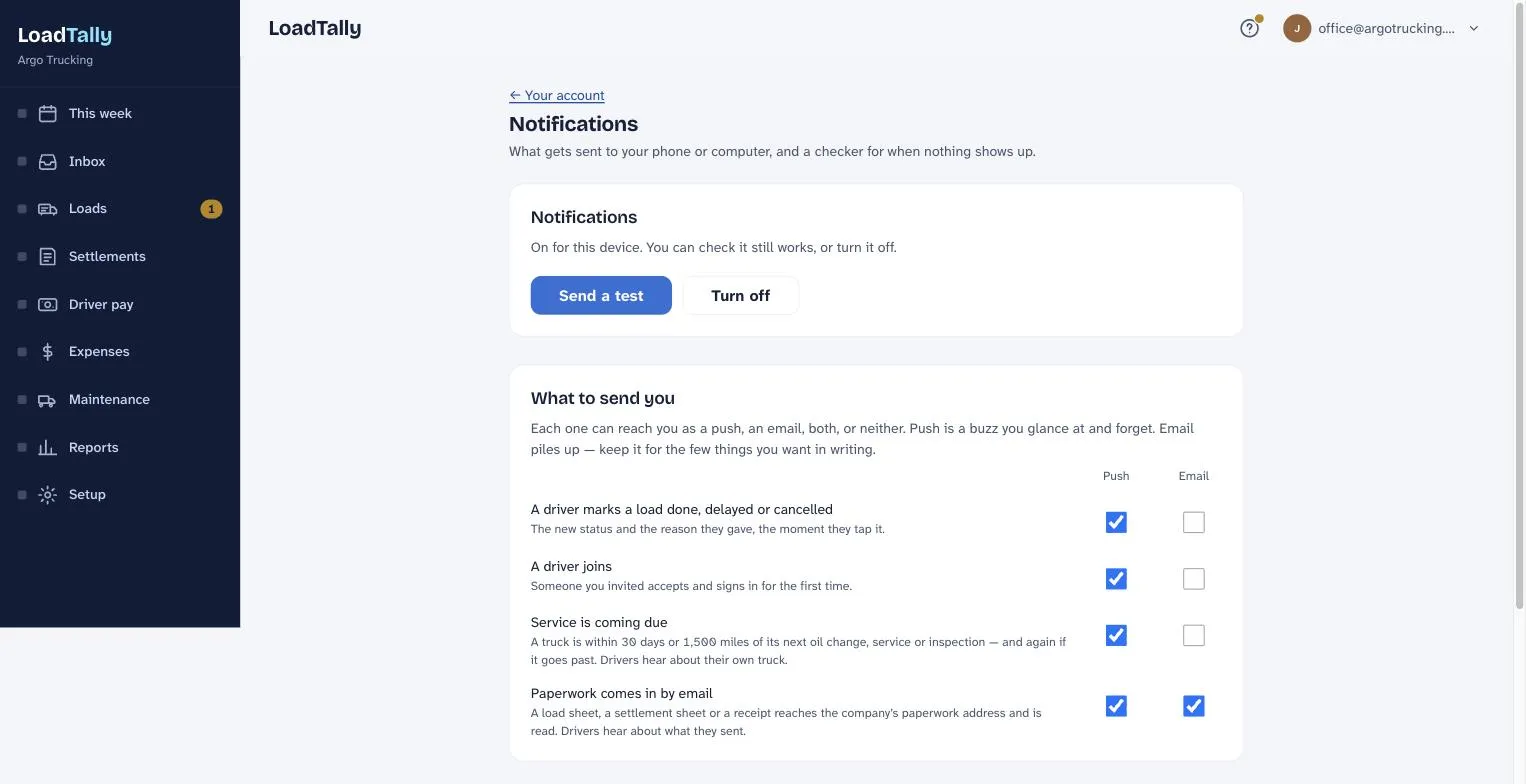
- This device. Turn notifications on here, on each phone or computer you want them on. Send a test proves the whole path works before you need it to.
- What to send you. A driver marks a load done, delayed or cancelled. A driver you invited signs in for the first time. A truck is within 30 days or 1,500 miles of a service. Paperwork reaches the company’s email address. The reply to paperwork you email in yourself, which is on until you turn it off. Each can be a push, an email, both, or neither. Push is a buzz you glance at; email piles up, so keep it for the few things you want in writing.
- When nothing shows up. The checker walks every step from the browser to this device and stops at whatever is in the way, ending with a real test.
On an iPhone, notifications only work once the app is on the Home Screen. In Safari, tap the share button, then Add to Home Screen, and open it from the icon. The panel says so when it applies.
The bill
Drivers × $20 = the month. That is everyone marked as driving, plus anyone who ran a load or was paid in the last thirty days. A driver who leaves drops off; one who joins goes on, prorated — and adding one asks first, with the new total. Trucks don’t count, and neither do you or the accountant. The first 30 days are free; the card goes on at sign-up and nothing is charged until they end.
- The card. It went on when you signed up. Change the card opens the same form right there.
- Bills so far. Every bill with its date, amount and whether it is paid. View or print opens the receipt for your accountant. The company name on the receipt and the address it goes to can be changed underneath.
- Cancelling is the small grey link at the bottom of the billing page. It asks first. Your plan runs to the end of what you have paid for, then your records stay yours, read-only.
Give a month, get a month
Send LoadTally to another owner-operator: $20 off their first bill, and when they pay it, $20 off yours. Share LoadTally has your link and a QR code — hold your phone up at the yard and it works — and a printable card for the wall at the truck stop. The page lists everyone who signed up with your link and whether they have paid a first bill yet; when one does, the $20 comes off your next bill by itself. No limit.
Leaving for good
Delete my login leaves the company’s books alone. Deleting the company takes every load, settlement, pay statement and login with it — nothing is kept, and there is no undo. Print or export the reports first if you want the numbers.