
The Inbox
The record of every mail that reached your paperwork address, what became of each page, and where the ones that couldn’t file themselves went.
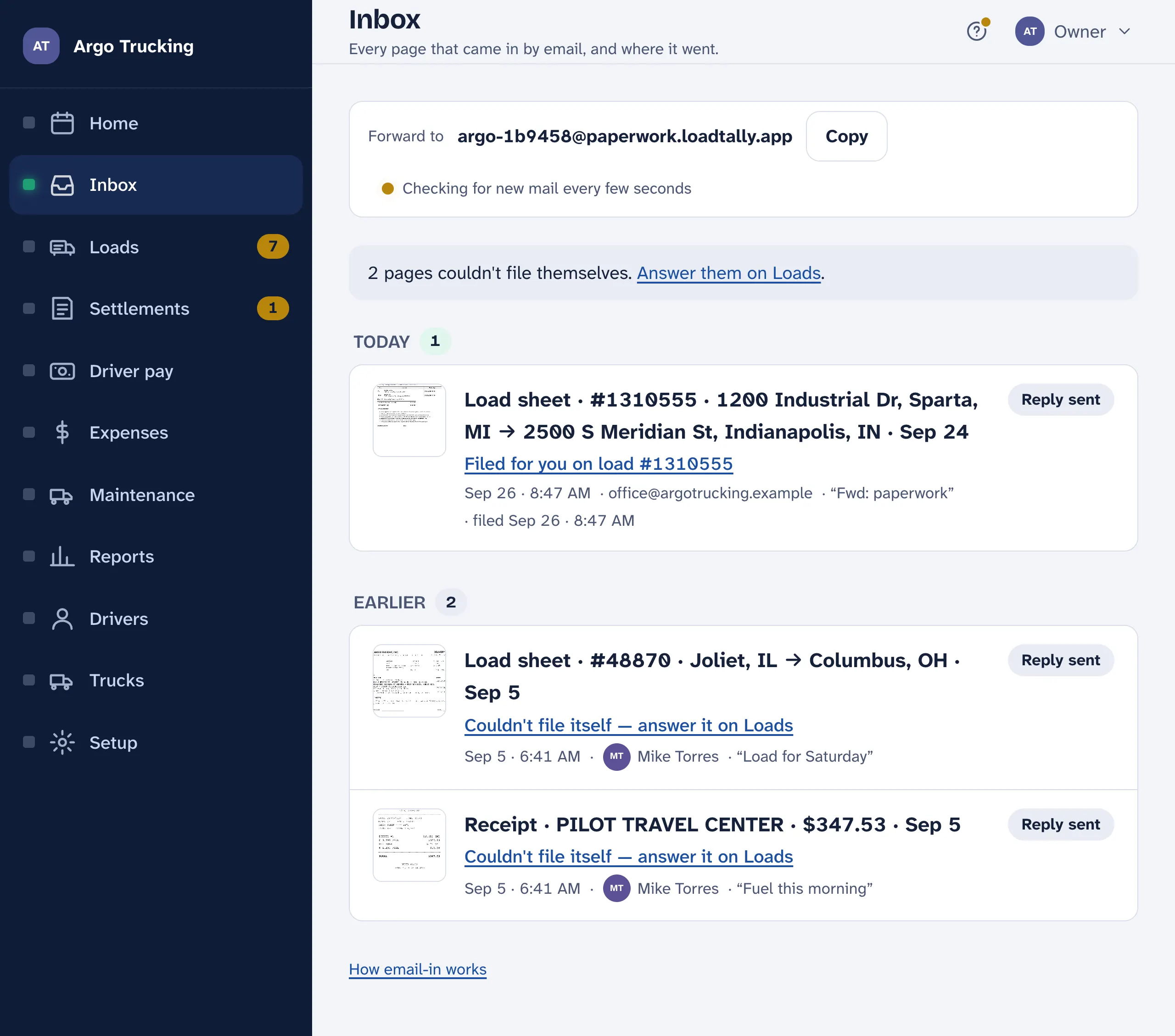
The Inbox is the record of paperwork that came in by email. Every page was read on the way in and filed itself — a load sheet became a load, a receipt went on its load, a settlement sheet was recorded with its loads — and its row says what it was and where it went: Load sheet · #48870 · Joliet, IL → Columbus, OH, Filed for you on load #48870. Nothing here asks for a tap, so the Inbox has no count in the menu.
What couldn’t file itself
Some pages can’t be placed on their own: a fuel slip for a load that isn’t entered yet, a page too blurry to read, dispatch’s word that a load was cancelled or swapped for another. Those wait at the top of Loads, under From email · needs you, each with the one tap that files it, and they count in the Loads badge until they’re answered. Their rows here say Couldn’t file itself — answer it on Loads and link there.
| The page | What Loads offers |
|---|---|
| A load sheet for a load already entered | Attach to load #48870 |
| A receipt that looks like it belongs to a load | Add to load #48870’s receipts — or Another load…, or Add as an expense |
| A receipt with no load yet | Waits until a load fits, then offers it. Paperwork comes in any order — a slip often lands before its load sheet |
| A page it couldn’t read | Read it again — a blurry photo often reads the second time, or after a retake |
| Anything that isn’t yours | Not ours drops it |
Keep for later takes a page out of the Loads count without losing it; it is still matched against every new load. A page that names its load goes on that load whichever arrived first: a slip mailed a minute before its load sheet is filed as soon as the sheet has made the load.
What came in
Each row is one page: what it was read as, where it went — filed for you on load #48870, couldn’t file itself, dropped, already on file — who sent it, when, the subject, and whether the reply got there: Reply sent, delivered, bounced. Tap a row to open what it filed. Mail from an address the company doesn’t know is listed too, marked ignored, so you can see what was turned away and let the sender in if you meant to.
The record shows the last week; Show older reaches back a week more each tap. It stays after you switch email-in off. At the top is your paperwork address with a Copy button, and the page keeps itself up to date as mail comes in.
The driver’s inbox
A driver who emails a load sheet or a receipt sees it in their own Inbox on the phone, already read, and files it onto their own load. The office sees the same page in its Inbox. A settlement sheet a driver sends is the office’s alone: it never shows in the driver’s inbox, and the reply says so.
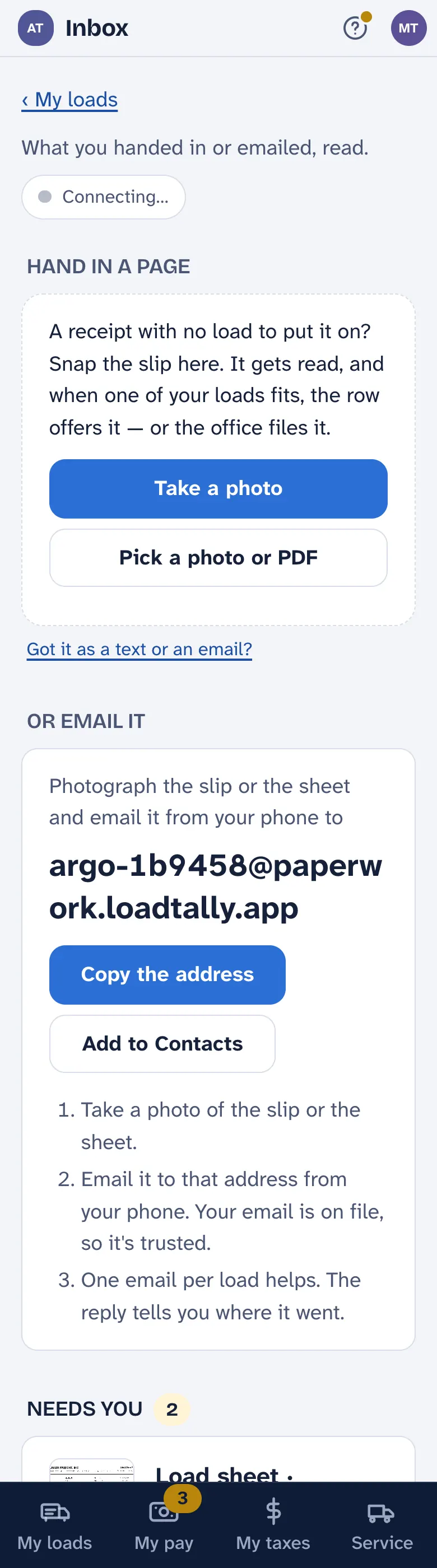
A page sent in twice is caught by its bytes and not filed again. The row says Already on file — the same page is on load #…, and the reply says it wasn’t filed twice. Forward freely.