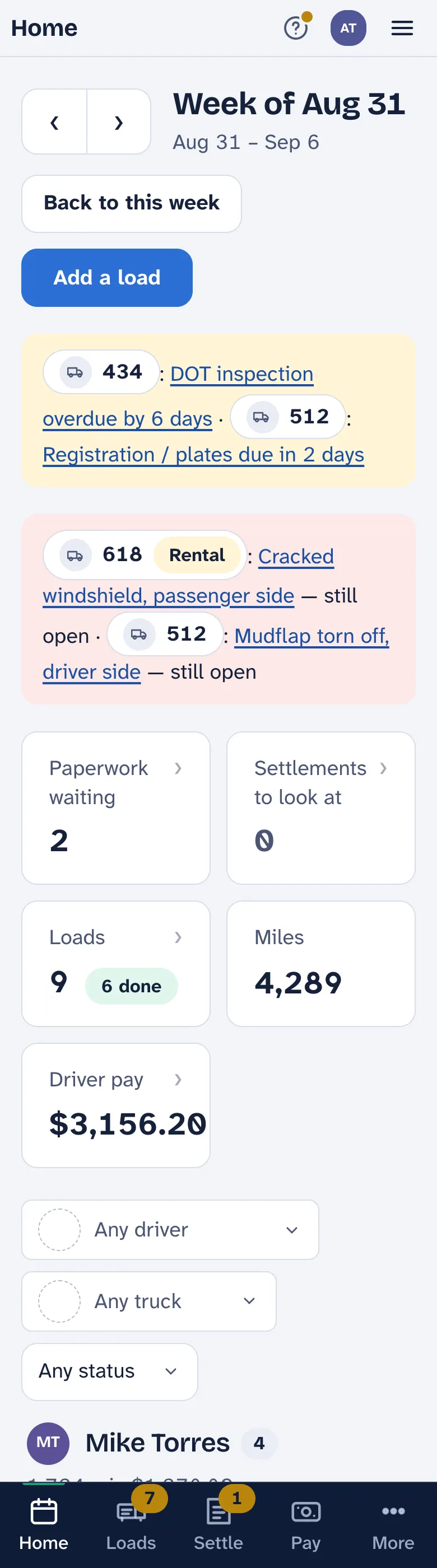
The week at a glance
The screen the app opens on — the loads, the miles, the pay, and whatever needs a look — and the ? that explains every screen.
Open LoadTally and you are on Home: This week — or This month, if that is how you pay. It is one page: the period, what needs you, five numbers, and every driver’s loads for it. Most days it is the only page you need.
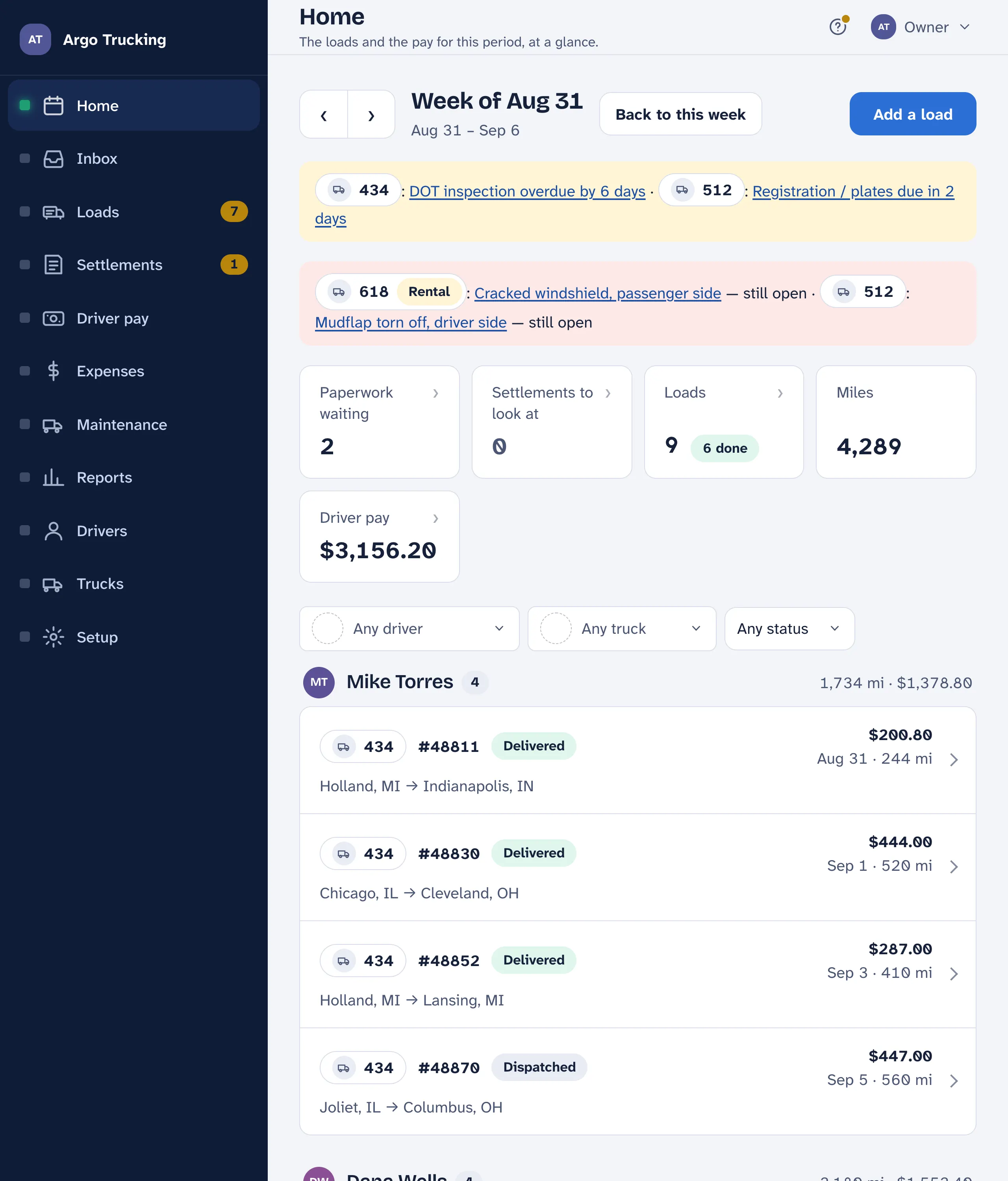
What is on it
- Which week. The arrows step back a week at a time and forward again. Wherever you land, Back to this week brings you home.
- The week in five numbers. Emailed pages waiting on a tap, settlements that didn’t line up with a load, how many loads and how many are done, the miles they cover, and what the drivers are owed for them. Tap a tile and it takes you there.
- Something coming due. If a truck’s oil change, DOT inspection or plates are close or past, a yellow line says so, and links to it. A problem a driver reported that isn’t fixed yet — a cracked windshield, a torn mudflap — sits on a red line until it is.
- One driver, one truck. Narrow the week to a driver, a truck, or a status — done, not done, delayed, cancelled. Show everyone puts it all back.
- Add a load. Today’s date and the driver’s usual truck are already filled in. Pick a driver in the filter first and the new load starts with that driver chosen.
- Loads by driver. Each driver’s loads with the miles and the pay beside their name. Tap a load to open it — the stops, the math, the paperwork.
Reading a load line
Each line shows the load number, a word for where it is — Dispatched, Picked up, Delayed, Delivered, Reviewed, Cancelled — the run, the date, the miles, and what the load pays the driver. A cancelled load is struck through and doesn’t count toward the week. Status is always a word with a colour, never a colour alone.
The ? on every screen
Every screen has a ? in its top corner. Tap it and the screen explains itself, one part at a time: it lights up the part, says what it is for, and often adds a tip. Next moves on, Skip closes it. The ? wears a small dot until you have opened it once on that device.
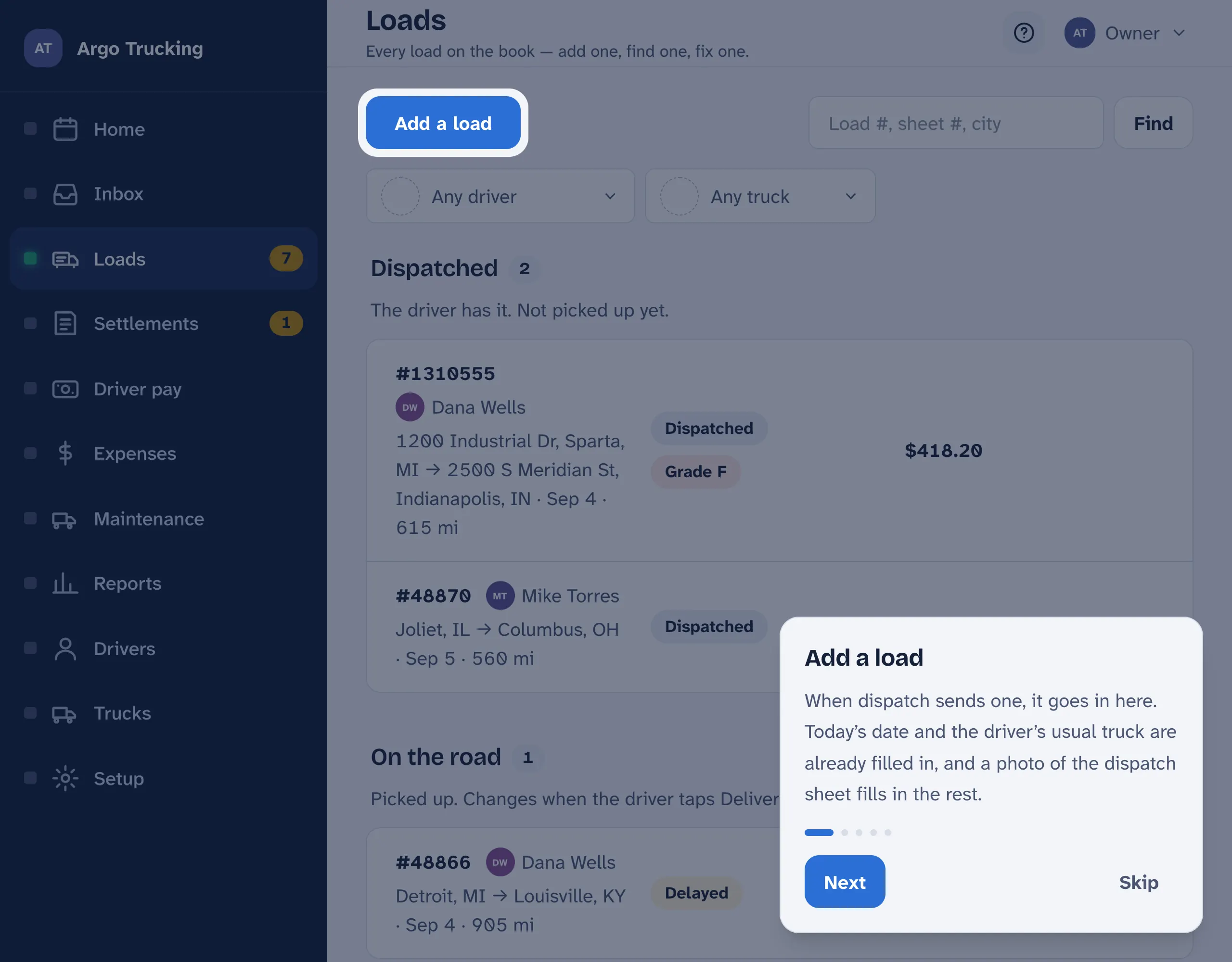
New to a screen? Tap the ? before you tap anything else. It takes a minute, and it is quicker than reading this.
On a phone
On a phone the menu moves to the bottom of the screen: Week, Loads, Settle, Pay, and More for the rest. The page itself is the same, in one column.