
Payday
Pay everyone at once, hold back what is still waiting, read the statement line by line, and mark it paid.
Sunday. Every load that is done and has its settlement in is added up for each driver. You check the list, tap one button, send the money through your bank the way you always have, and mark each statement paid. The driver’s copy — every load, every line — is ready to print or send.
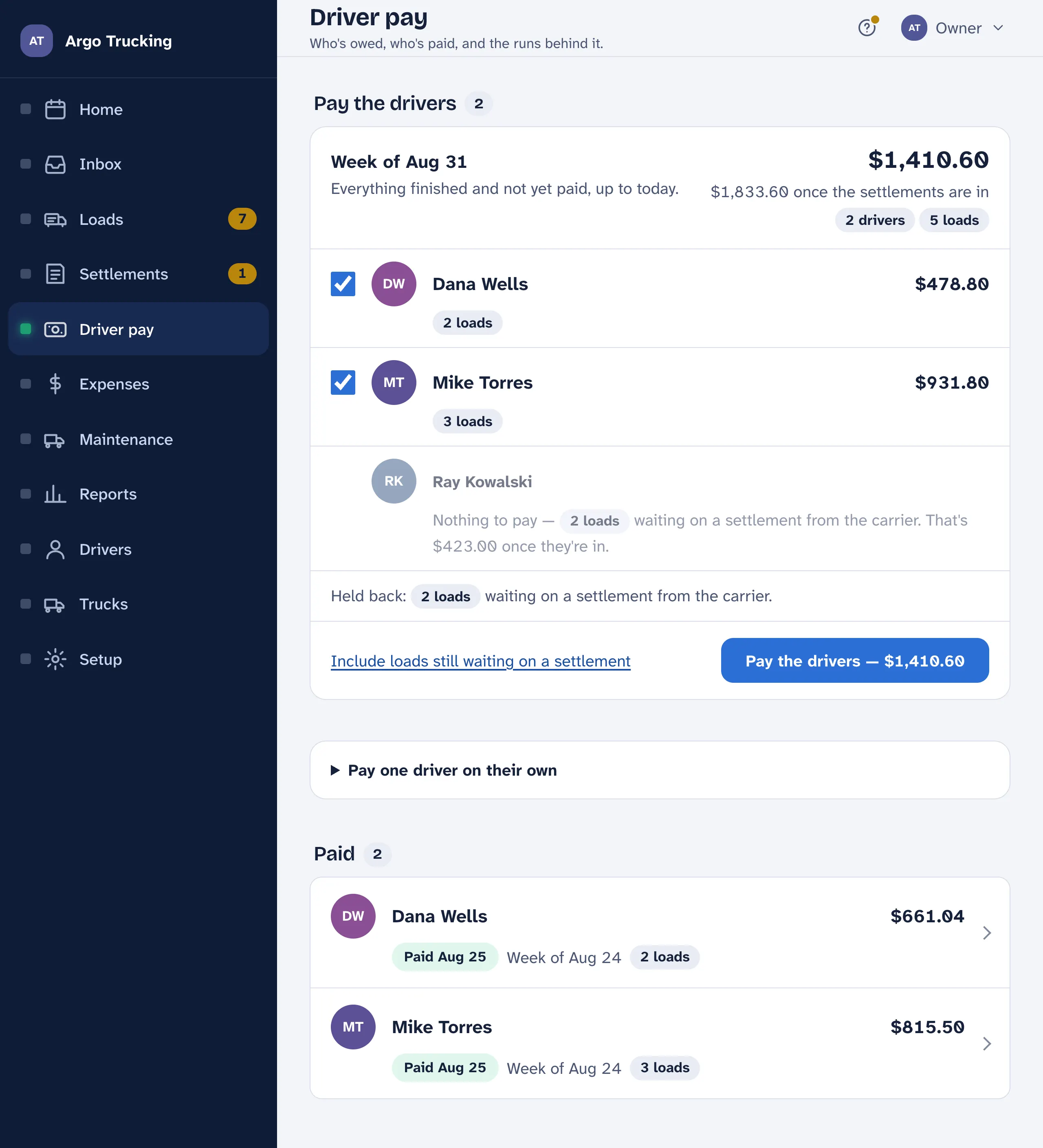
Pay the drivers
- Who gets paid. Each driver with what they are owed this time: calculated miles times their rate, plus live loads, stop-offs and detention, plus receipts you approved. Everyone starts ticked — untick anyone you are not paying yet.
- Held back. Loads that aren’t going on this payday and why: no settlement from the carrier yet, or no rate covers that date. They wait until that is fixed. Include loads still waiting on a settlement lets you pay early — the exception, not the habit.
- Pay the drivers. Starts a pay statement for every ticked driver, all labelled with the same week. Nothing is sent from here.
- Pay one driver on their own. For between paydays, or when you want to pick the loads yourself. Tick the loads, tap Pay Mike, and it opens his statement.
- Not paid yet and Paid. Statements you have started but not marked paid, and everything you have — newest first, kept for the records and for the year-end report.
The statement
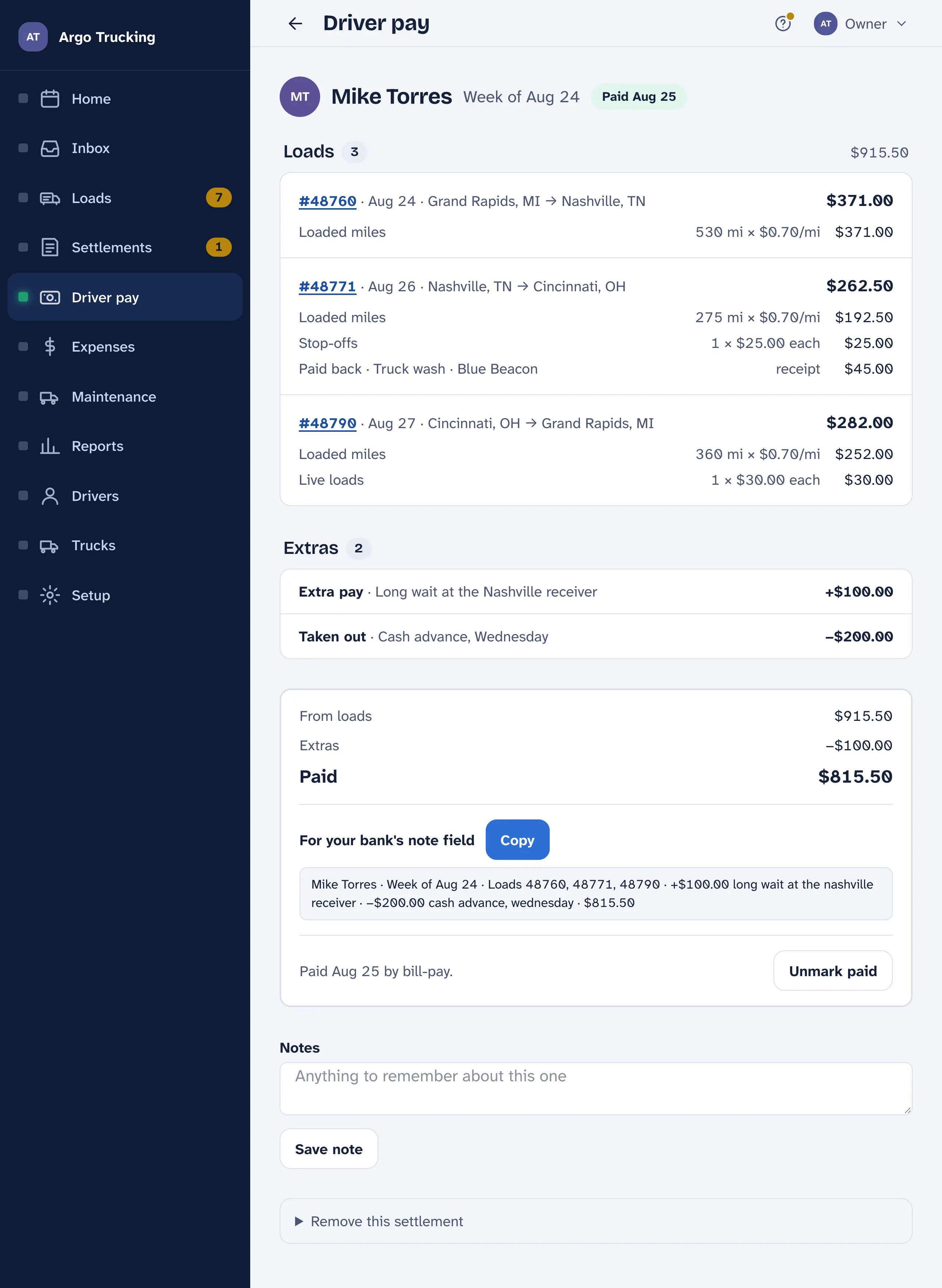
- Each load, line by line. Loaded miles × the rate, empty miles × the same rate when the load pays them, each live load and stop-off at so much each, detention by the hour, and any receipt paid back. Tap the load number to open the load.
- Add another load puts one of the driver’s unpaid loads on this statement. Refigure from loads redoes the math if you changed a load or a rate since starting it.
- Extras. Anything on top of the loads. Extra pay — a thank-you for a long wait. Paid back — a toll they covered that didn’t come through a receipt. Taken out — a cash advance from mid-week. Say what it is for, so it makes sense a year on.
- The total. From loads, plus extras, minus what is taken out — the amount to send.
- Mark as paid. Send the money through your bank’s bill-pay, then put the day here. The statement locks so the math can’t drift. Marked it too soon? Unmark paid opens it back up.
- Remove this statement puts its loads back on the list to pay. Nothing about the loads changes.
What the driver sees
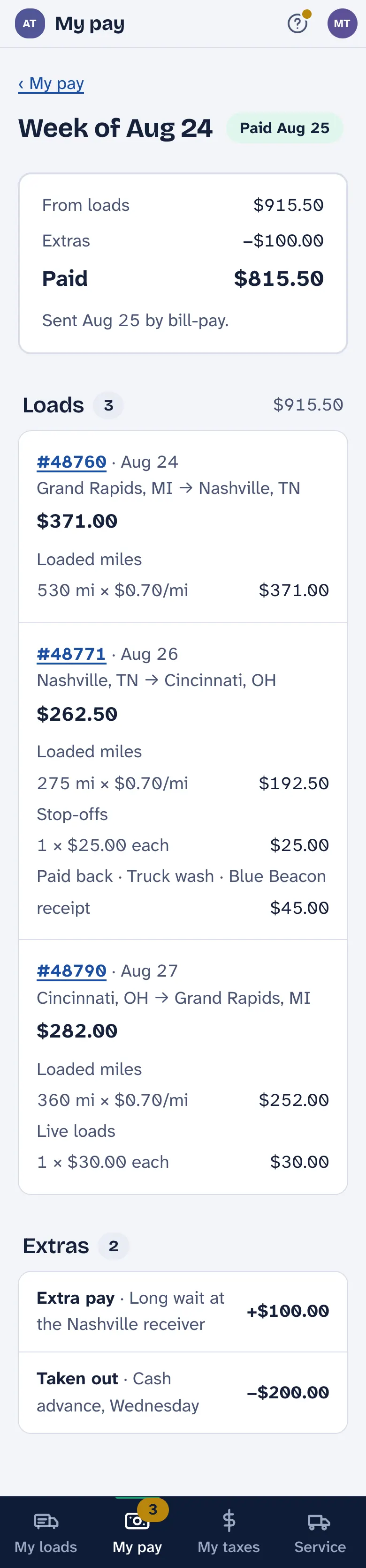
The same statement, on their phone: Coming to you until you mark it paid, then Paid with the date. Every load, every line, the miles and the rate — so nobody has to ask. Send… on the Driver pay statement report sends it to their phone; Print puts it on paper.
Three ways a driver can be paid
By the mile, by the hour, or a flat amount per load — the owner’s choice per driver, set on their rate. Live loads, stop-offs and detention go on top whichever way. A flat amount typed on any one load wins over the miles or the hours for that load. See Drivers and their rates and How driver pay is figured.
Nothing is withheld and nothing is sent. Drivers who are contractors get the whole amount, through your bank. At year end the Year to date report adds up what each driver was paid, from the statements you marked paid, for their 1099.
Print the Payday report on Sunday. It is one sheet with every driver’s net, and it is the paper you pay from at the bank.