Drivers and their rates
Carrier codes, the usual truck, three ways to pay, a raise with a date on it, and a login for their phone.
You add a driver when they start driving for you, and about never again. Their name, the code the carrier uses for them, the truck they usually take, and what you pay them — with a date on it, so a raise never rewrites old pay.
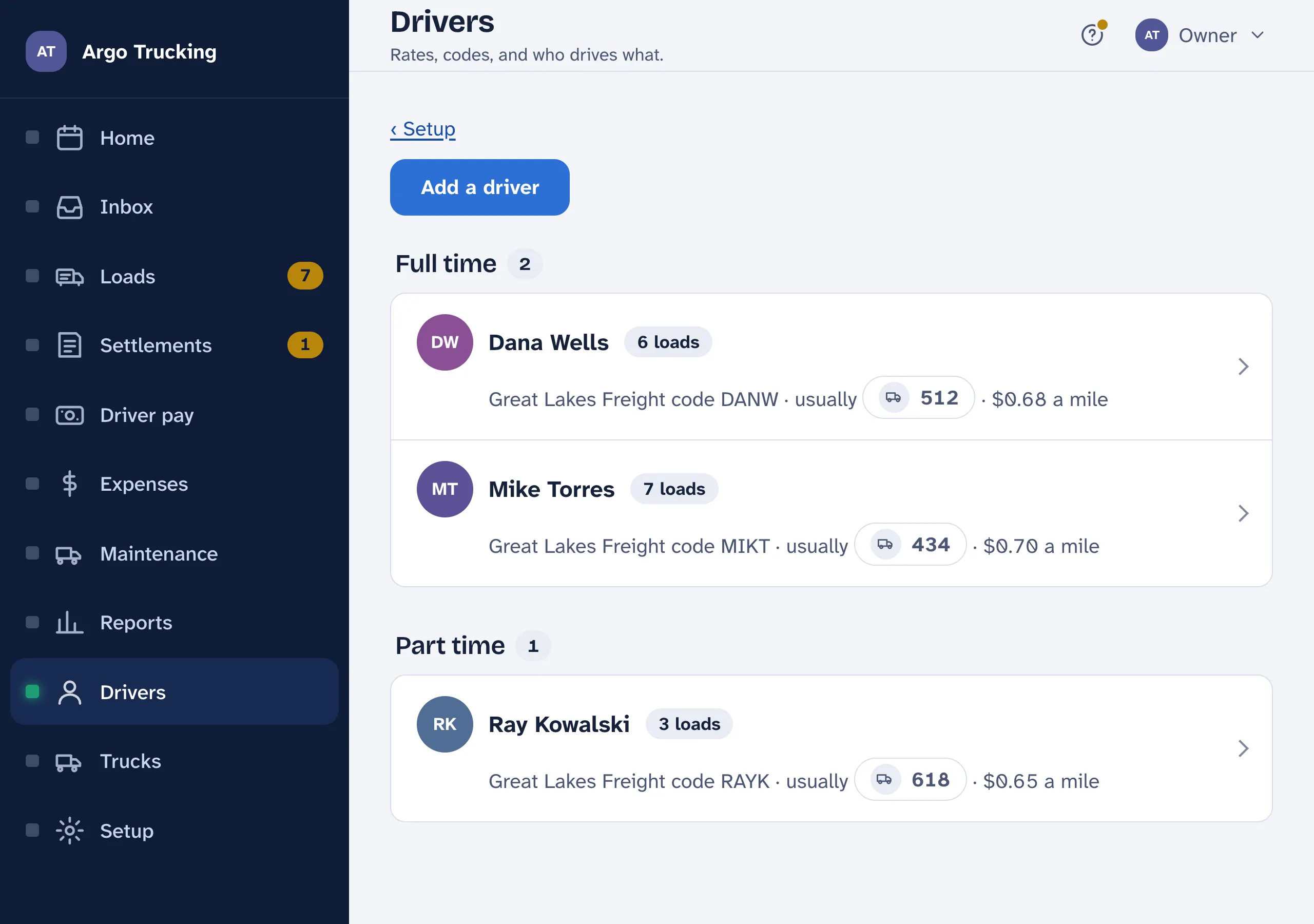
Adding one
- Name, code, usual truck. The code is the short one the carrier prints on the settlement — a few letters, like MIKT — so their loads match up. The usual truck fills itself in on every new load for them.
- Their login. If they will use the app on their phone, put in the email they will sign in with and tick the invite. They get a link, pick a password, and see only their own loads and pay. No email yet? Save now; the invite can go out from their page any time.
- Part time is a note, nothing more. Part-timers are paid the same way as everyone else — their own rate, miles and extras. All the box changes is which of Setup’s two starting rates a new driver begins from.
The driver’s page
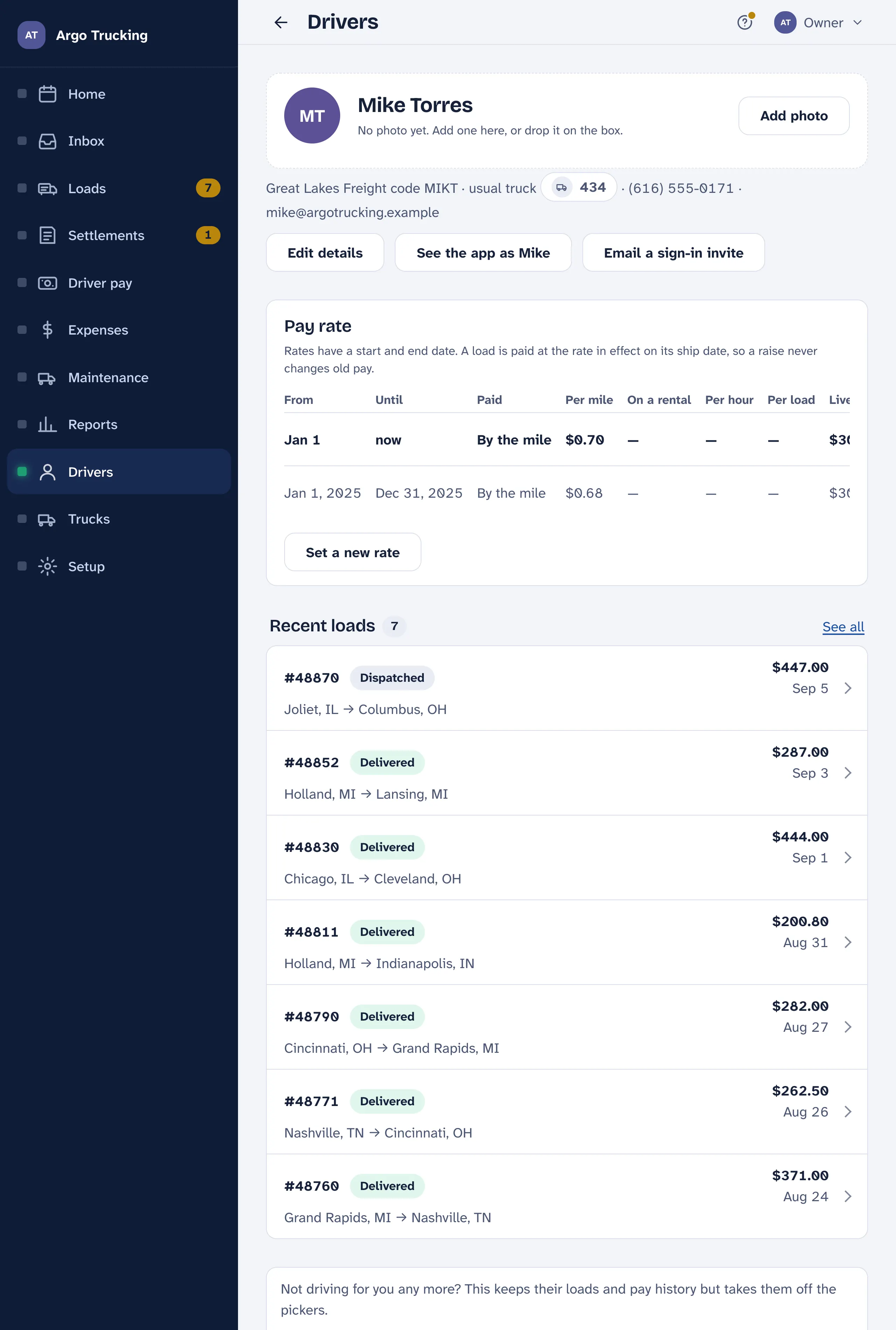
- Their face. Tap the circle to add a photo. It shows wherever you pick a driver, so the right name is the right person at a glance.
- Edit details changes the name, code, usual truck, phone or email.
- See the app as Mike shows you exactly what they see on their phone — their loads and pay, nothing else. Handy on the phone with them.
- Email a sign-in invite. Once it is out you can send it again, or take it back if it went to the wrong address.
- Their loads, latest first, with the pay on each. See all opens the full list for just this driver.
What you pay them
Every load is paid at the rate in force on its pickup date. A rate has a start and an end, so setting a new one never touches a load that already ran. Set a new rate, pick the day it starts, and the old one ends the day before.
| Paid | How the load pays |
|---|---|
| By the mile | Miles × the rate: 253 mi × $0.70 = $177.10. The empty legs at the same rate when the load says to pay them. A second, lower rate can apply to loads on a rental truck. |
| By the hour | The hours on the load × the rate. No miles. |
| Flat per load | One amount per load, typed on the load or taken from the rate. |
Whichever way, live loads, stop-offs and detention go on top: a flat amount for each live load and each stop-off, and detention by the hour or flat, as you choose in Setup. The amounts on the rate are the defaults; any one load can change them for that load only. A flat amount typed on a load always wins.
Setup › Pay holds the starting rates a new driver gets and how a new driver is paid. Each driver keeps their own rates after that, so changing Setup never touches anyone’s pay.
When they move on
Mark as not driving now keeps every load and pay statement, takes them off the pickers, and drops them from the bill. It is not a delete — Driving again puts them right back.
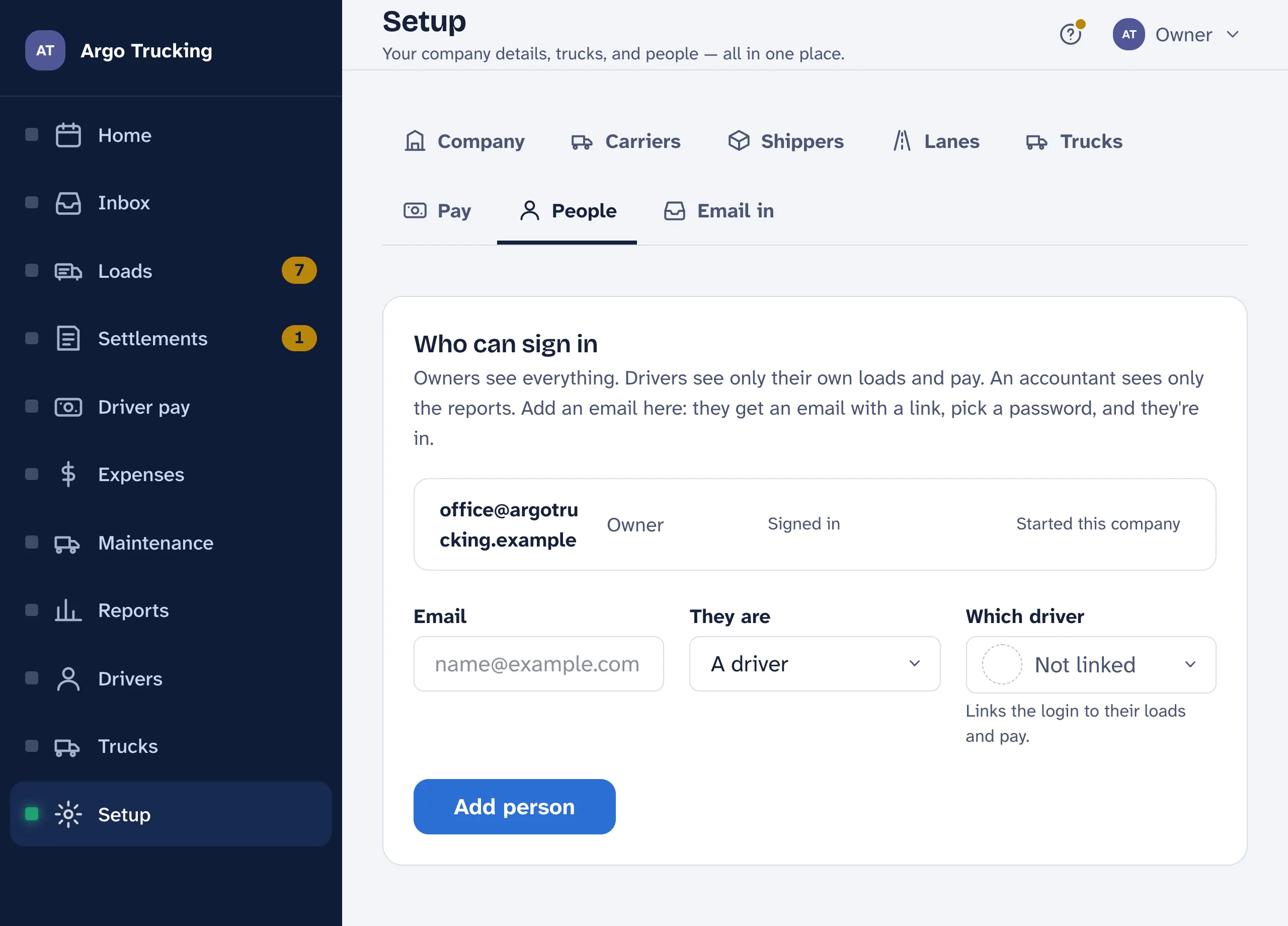
Who can sign in
Logins live under Setup › People. Add an email and a role. Owners see everything. Drivers see only their own loads and pay — link the login to their name on the drivers list so their phone shows the right loads. The accountant sees only the reports. Everyone gets an email with a link, picks a password, and is in. The same page shows who has signed in and who hasn’t yet.